
HubSpot Marketing Automation: Workflows, Personalization and Reporting
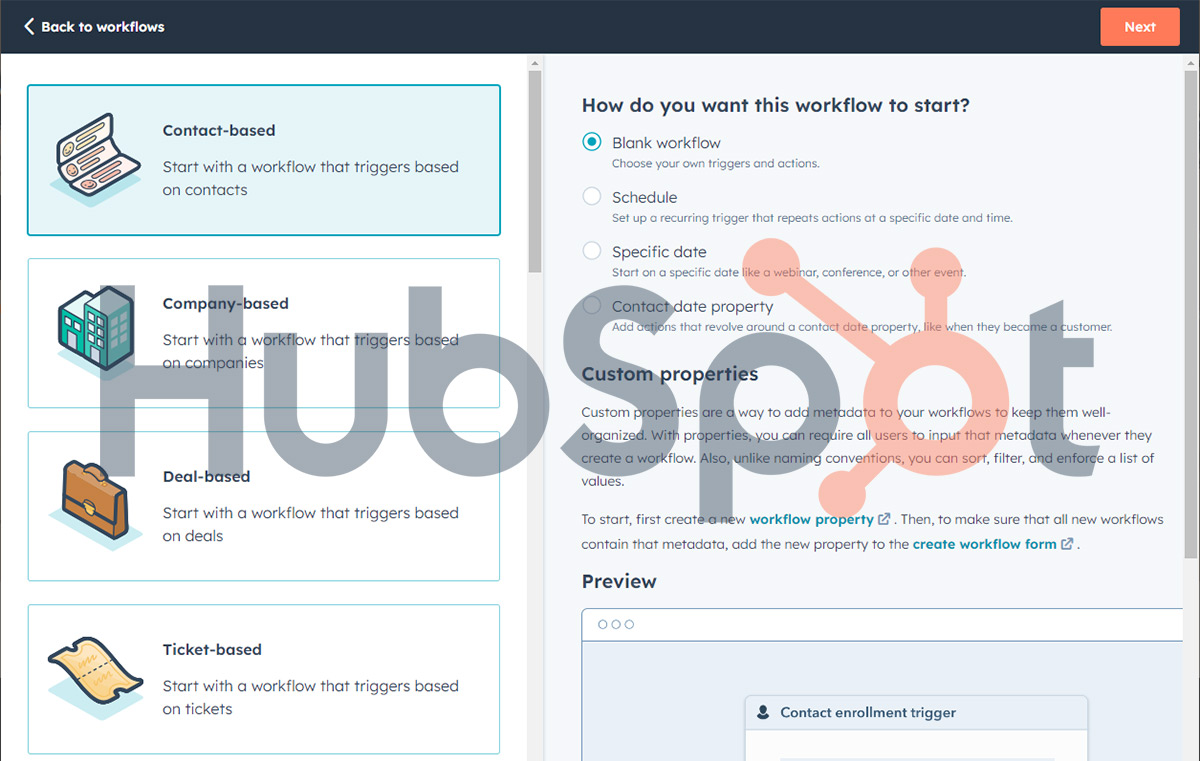
HubSpot connects marketing automation to CRM records, so a form submission or property change becomes the starting point for an email, a record update or a task for a salesperson. The available triggers and actions depend on your subscription.
Marketing Hub Starter includes limited email automation. Branching campaigns and automated marketing emails in the full workflows tool require a different level of access. A free CRM account alone does not provide the automation features described below.
Separate Starter Automation from Full Workflows
Marketing Hub Starter supports simple workflows associated with marketing emails. Each supports up to ten actions, with one simple workflow per enrolment trigger. Available actions include delays, follow-up marketing emails, internal notifications and task creation.
For example, an email click provides the trigger for a follow-up process, but the available email automation should not be confused with unrestricted access to HubSpot’s full workflows tool.
Check Access to Individual Actions
The full workflows tool requires an eligible Professional or Enterprise subscription. Automated marketing emails within this tool specifically require Marketing Hub Professional or Enterprise, even if another HubSpot subscription already gives your account access to workflows.
Write down the actual sequence before comparing subscriptions. A process involving a signup, a setup-status check and a salesperson’s task needs support for each trigger, branch and action. Access to the builder alone does not confirm access to every step.
Marketing Contacts Affect the Cost
In accounts using marketing contacts, only records marked for marketing count towards the paid contact tier. Non-marketing contacts remain outside this tier. Marketing contact status also affects eligibility for marketing emails and certain marketing actions.
Review the status applied by forms, imports and integrations before uploading a database. For an import containing customers, suppliers and newsletter subscribers, separate the intended campaign audience from records kept only for administration so the import does not unnecessarily increase your marketing contact count.
Marketing contact status and email subscription preferences serve separate purposes. A record marked for marketing still needs the appropriate permission and subscription status before receiving campaign emails.
Prepare the CRM Data for One Defined Process
HubSpot stores contacts, companies and deals in its CRM. An external CRM integration becomes relevant when another system also holds information used by sales or customer service, such as a salesperson’s ownership details or a customer’s current account status.
Record the Customer Outcome
For a trial onboarding campaign, define success as completing the initial setup. For a consultation campaign, use a recorded booking. Sending three emails measures workflow activity rather than either customer outcome.
These examples need different stopping conditions. Setup reminders should end after setup is complete. Consultation reminders should stop after a booking, with any appointment instructions handled separately. Retention processes need similar distinctions between a completed purchase, an approaching renewal and a customer who has already renewed.
Identify the Source of Each Property
A trial onboarding workflow needs a trial start date, setup status and account owner. A consultation campaign needs the requested service and booking status. Identify the system or person responsible for each value before using the property in a branch.
If a booking tool supplies the status used to stop reminders, test a completed booking from the original form through to the CRM update because a missing update leaves the contact eligible for further promotional messages.
Manual updates need an assigned owner and a defined point in the staff process. For example, the person confirming a phone booking should update the same property used by the automated campaign.
Review imported property values for inconsistent labels. Training, Courses and Classes sometimes describe one interest but produce three different filter results. Agree on the intended categories and correct existing records before relying on those values for message selection.
Build Segments Around Different Messages
Separate trial users who have completed setup from users who still need to finish. The first group needs guidance on using the product. The second needs instructions for the unfinished setup task.
Service interest, customer status and product usage are useful segment criteria when each produces a different message or next action. Avoid creating extra categories with no corresponding change in the campaign. A segment named Active prospects needs an explicit definition, such as a consultation request without a completed booking, rather than an unexplained label.
Build the Workflow Around Entry and Exit Rules
For a trial onboarding workflow, sketch the route from signup to completed setup before adding actions. Include the point where a reminder stops and the point where a salesperson or support colleague becomes responsible for follow-up.
Open the Builder
Go to Automation > Workflows. Open More first if your account’s navigation requires this step. Select Create workflow, then From scratch. Templates provide another starting point for common processes.
Configure the enrolment triggers and corresponding record type. Use a contact-based workflow for a process centred on individual subscribers. Name the workflow for its purpose, such as Trial setup follow-up, rather than using an internal campaign code colleagues need to look up.
Events and Filter Conditions Serve Different Purposes
An event trigger responds to an action, such as submitting a form. Filter conditions identify records meeting specified criteria, such as an incomplete setup status within a chosen trial period.
Use the signup event to begin onboarding in the trial example. Check setup status before sending a reminder. If an integration supplies the signup event, inspect an actual record to confirm the expected information reaches HubSpot.
Repeat participation needs a separate decision. A welcome sequence should not restart merely because someone submits an unrelated form. A booking process needs rules for a customer making another appointment, including how the new booking relates to an existing record or active workflow.
Add Messages, Delays and Branches
Workflow actions include sending emails, creating tasks and updating CRM information. Delays pause the route. Branches direct records according to specified criteria, with available actions restricted by subscription.
For trial onboarding, send an introduction explaining the first setup task. After a suitable delay, check setup status and send a reminder only to users who still need help. Route users who have finished towards guidance on using the product instead of repeating instructions for work they have already completed.
Choose the delay around the action required. An appointment tomorrow needs a different reminder schedule from a purchase normally considered over several weeks. Record the reason for each interval so a colleague reviewing the workflow understands the timing.
Stop Messages When the Process No Longer Applies
Contact-based workflows provide unenrolment controls involving goals, suppression segments and eligibility settings. Use the relevant controls to remove contacts after the intended outcome or exclude records outside the campaign audience.
For the trial example, completed setup should stop setup reminders. Staff accounts and test records need exclusion from the live audience. Also inspect other active campaigns for messages scheduled during the same period, particularly sales emails promoting a purchase already completed.
Before publication, review the choice between enrolling existing qualifying records and enrolling only future records. Including the current database deserves particular attention because a rule intended for new trial users risks bringing older contacts into the sequence if the criteria omit a relevant signup period.
Personalize Messages with Reliable Information
A first-name token and a different message for an existing customer require different configurations. The token inserts a stored value. Smart content selects a version of the content according to a rule.
Set Fallback Values for Tokens
HubSpot personalization tokens draw values from properties, such as a contact’s first name or company name. Without a default value, a token remains blank when the relevant property has no value.
Preview an email using a contact with complete information and another with missing fields. Read the full sentence around each token because a fallback which fits a greeting does not necessarily fit a sentence about the recipient’s company.
Avoid using job titles or company names from an old import without reviewing their accuracy. A message referring to a previous employer introduces a visible error even if every token works as configured.
Use Smart Content for Different Versions
Smart content in marketing emails requires Marketing Hub Professional or Enterprise. Email rules use contact segment membership or lifecycle stage. Smart content for website pages, landing pages and blog posts has separate Content Hub Professional or Enterprise requirements.
For example, show a beginner resource to new users and an advanced guide to experienced users. Use the segment defining experience to select the relevant content module. A product recommendation needs suitable product and customer information, plus rules connecting the two, rather than a personalization token alone.
Use Lead Scoring for a Specific Sales Decision
HubSpot supports engagement scores, fit scores and combined scores. Engagement reflects recorded actions and interactions. Fit reflects characteristics stored in properties, such as company size or job title. Contact scoring requires Marketing Hub Professional or Enterprise. AI-generated contact scores require Enterprise.
Agree with sales staff on the distinction between a newsletter subscriber and a prospect requesting a consultation. Awarding points for repeated low-intent activity without considering a direct request risks prioritising frequent readers above people asking to discuss a purchase with your sales team.
Use score properties in segments, workflows or reports. For example, a qualifying score provides a condition for notifying the contact owner. Specify who handles the notification and which follow-up action belongs in the sales process.
Review actual records with the sales team. Investigate high scores leading to unsuitable conversations and low scores assigned to suitable prospects. If a short enquiry form already identifies customers requesting a quote, a direct task assignment deserves consideration before building a detailed scoring model around those same enquiries.
Connect External Tools to Supply Missing Information
A CRM connection needs agreed field mappings and record creation rules. Social publishing needs the correct account type and network permissions. These integrations serve different parts of the campaign process.
Salesforce Syncing
HubSpot’s Salesforce integration requires an eligible HubSpot Professional or Enterprise subscription, plus a supported Salesforce edition and the necessary permissions. The connection supports ongoing syncing rather than replacing the need for an initial data plan.
Decide which system controls shared values, especially ownership and lifecycle information used by workflows. Test a change to each important mapped field on a small set of records and confirm the resulting value in both systems before using synced data to direct live campaigns.
Installing the integration does not immediately sync every existing record. HubSpot documents imports and automatic sync triggers as routes for bringing records across. Identify which route will populate the records needed by the first workflow.
Social Publishing and Reporting
HubSpot’s social tool requires Marketing Hub Professional or Enterprise. Supported networks include Facebook, Instagram, LinkedIn, Reddit, TikTok, X and YouTube. Available publishing formats, account types and connection requirements differ by network.
Connecting an account supports the relevant publishing and reporting features. The connection does not create a complete CRM record of every follower’s activity. Before planning a campaign around a social interaction, confirm the specific interaction appears in the records or reports required for the process.
Measure Bookings, Activation or Sales Alongside Email Activity
A contact reaching the final workflow action has completed the configured route. Confirm the customer outcome separately through the recorded booking, setup status or sale. Otherwise a sequence delivering every email successfully appears complete even when no recipient takes the intended next step.
Give Each Measure a Clear Definition
- Outcome rate: Divide contacts completing the intended action by eligible contacts entering the process. Use a consistent period and allow enough time for completion.
- Email response: Review recorded clicks alongside replies, completed forms or bookings. Include delivery failures and unsubscribes when diagnosing poor results.
- Commercial return: Include software, campaign and staff costs when assessing profitability. Separate revenue from the profit remaining after the associated costs.
For a trial campaign, compare setup completion among users entering the sequence during the same period. Avoid comparing a group with a full trial period against users who joined yesterday and have had less time to finish.
Check Bot Filtering Before Comparing Emails
HubSpot excludes suspected bot activity from marketing email analytics when filtering is enabled. This includes activity associated with security scanners and Apple’s Mail Privacy Protection. Filtering is enabled by default, with its status visible on sent emails.
Open rates need particular care because privacy tools affect recorded activity. Avoid treating opens alone as evidence of buying interest. Compare email engagement with bookings or product activity and use consistent filtering when assessing changes between campaigns.
Keep Attribution Separate from Causation
Attribution reports assign credit to recorded interactions according to the selected model. Deal Create Attribution and Deal Revenue Attribution require Marketing Hub Enterprise. Confirm access before including these reports in a proposed campaign dashboard.
Inspect the conversion being measured and the interactions included. A model assigning revenue credit to an email does not prove the email generated an additional sale, since the report distributes credit across recorded activity rather than measuring what the customer would have done without the campaign.
Test the Full Route and Investigate Failures
HubSpot provides tools for testing enrolment criteria and previewing a record’s route through a workflow. Use a qualifying contact, an excluded contact and a record with missing data. A successful test of one complete record leaves the other cases unchecked.
Test the change following the desired action. Complete a consultation booking or trial setup and confirm the intended stopping rule applies. Preview personalization separately and follow email links to their destination pages before inspecting the sales handoff with a record already assigned to an owner, so the test includes existing responsibilities as well as new enquiries.
After launch, investigate individual records through workflow logs and enrolment history. Compare the action result and timing with the relevant CRM property changes. Workflow enrolment alone does not guarantee email delivery because marketing contact status and email eligibility still affect sending.
Assign responsibility for reviewing workflows when an offer, form or integration changes. Record each workflow’s purpose, required properties and stopping conditions so the reviewer knows which connected processes to inspect. HubSpot Academy’s free marketing automation course covers process planning and workflow actions, with a practical exercise for applying the lessons.